
You know the drill. You’re about to cross the finish line in another tricky race or tick the final checkpoint during a heist when all of a sudden, you end up in a different part of the map or get the WASTED screen. All because of lag. Whether you’re playing against other players or in-game NPCs, it’s always annoying — especially when you’re seconds away from completing a mission.
Well, the good news is many causes of laggy GTA gameplay are fixable. Sometimes it’s your connection. Sometimes it’s Rockstar. Sometimes it’s a setting you didn’t even know mattered. The trick is figuring out which one you’re dealing with, and that’s exactly what we’ll help you do.
Quick Fix: Get a VPN for GTA Online
Getting a GTA VPN can be a simple solution for multiple external issues causing lag, such as inefficient routing, activity-based throttling, or distributed denial-of-service (DDoS) attacks. CyberGhost VPN can help stabilize your GTA Online connection, thanks to our server network covering 100 countries and fast VPN protocols handling your traffic.
Common Reasons GTA Online Is Laggy
Network and Lobby Host Issues
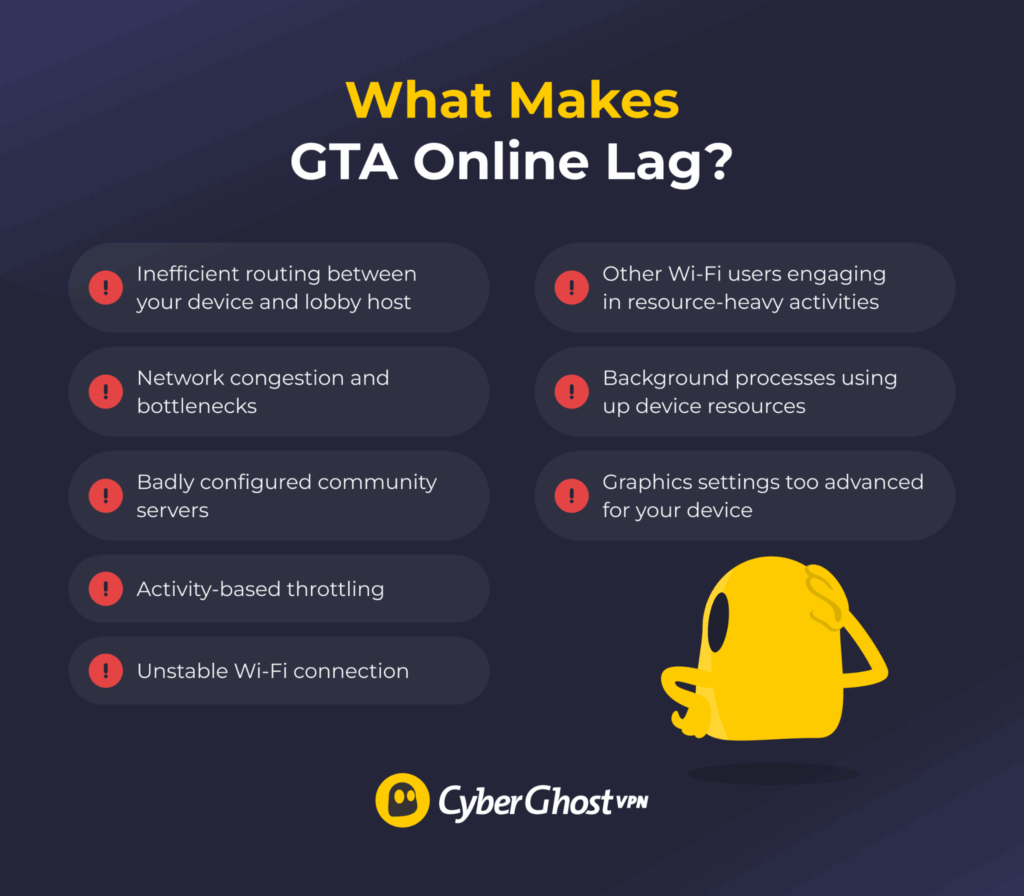
If everyone in the lobby unexpectedly starts teleporting or your shots take a long time to register, the problem might not be on your end. GTA runs on a peer-to-peer system instead of dedicated game servers, so your connection depends partly on the lobby host and the route your data takes to reach them. If it’s going through congested networks and bottlenecks, you’re more likely to see lag, rubberbanding, and in-game delays.
These problems happen on player-hosted lobbies and on third-party community servers. Badly configured third-party servers may struggle to process large numbers of player inputs quickly and efficiently, so they might have problems such as frequent lagging or rubberbanding.
Activity-Based Throttling
One evening, GTA runs fine. The next day, it struggles and you start driving through Los Santos roads in a zigzag. That’s because some internet service providers (ISPs) might intentionally reduce connection speeds if you’re playing high-bandwidth online games, like Grand Theft Auto. This is more likely to happen during peak activity hours in your area when ISPs have to sometimes manage available resources among all users.
Local Wi-Fi Issues
If your game is lagging only when you’re playing at home, your Wi-Fi might be the villain. Weak signal, packet loss, thick walls, an older router, or other people streaming or gaming on the same network can all make your connection less stable. That instability can cause higher latency while you’re in Los Santos, whether you’re trying out new mods or simply strolling across the streets.
Device Usage
If you’re playing on PC, GTA isn’t the only thing using your device’s resources. Browser tabs, launchers, recording software, and other background apps all use system resources. If your CPU, RAM, or GPU is already under pressure, GTA may start stuttering or lagging, especially during busy sessions.
Game Settings
Cranking every graphics setting up to Ultra may put a strain on your device’s hardware. Settings like ray tracing, high-quality shadows, anti-aliasing, and detailed textures can be very taxing on your GPU and VRAM. If your device can’t keep up with the set requirements, you’ll notice lagging, stuttering, frame drops, or your game crashing entirely.
How to Fix Laggy GTA Gameplay
Switch to a Wired Connection
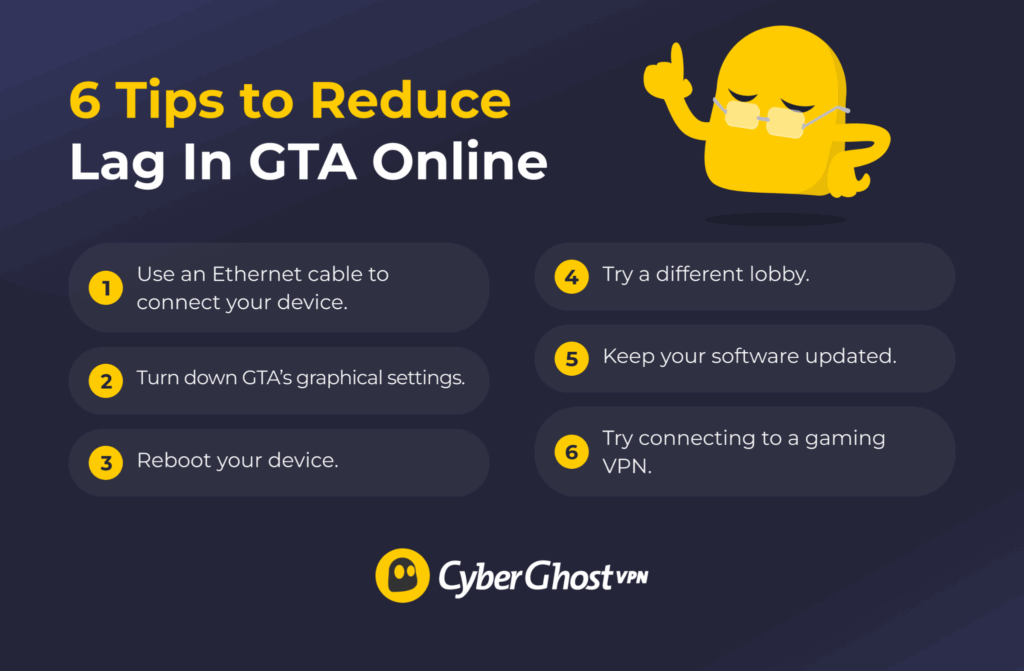
If you’re still gaming over Wi-Fi, this is the first thing to change. An Ethernet cable gives you a more stable connection, which can make a big difference in GTA. If you can plug directly into your router, do it. You should also make sure nobody else is clogging your network by downloading games or streaming 4K video.
Adjust the Game’s Settings
Dial the graphics back a bit if your connection seems fine, but the game is still laggy. You don’t have to set everything to Low, but reducing things like ray tracing, shadows, and anti-aliasing can make a big difference. The exact settings you should use depend on your device specifications.
Restart Your Device
Sometimes the oldest trick still works. PCs and game consoles accumulate bugs and errors over time while they’re powered on. These bugs build up in the background and make your device run slower the longer it’s on. Restarting your device resets its RAM and closes laggy background applications, which can make your GTA sessions run better.
Try a Different Lobby
You don’t always have to waste half an hour trying to change your settings — sometimes you just land in a bad lobby. If the host is having lag-inducing problems, it typically extends to all connected players. Try leaving the game and joining a different lobby to see if it fixes things.
Update Your Software
Software updates often patch up existing bugs and vulnerabilities. Rockstar patches bugs, Windows gets fixes, and console updates roll out: it all adds up. Update your game, operating system, and game console regularly to remove potential issues that may be behind your laggy gameplay. It’s a quick check that’s easy to overlook.
Connect to a VPN
If the lag keeps coming back, a gaming VPN might be worth trying. Connecting to a VPN can sometimes give your connection a better route to the lobby and may help reduce activity-based throttling from your ISP. A VPN reroutes your traffic through one of its servers (which may be closer or more direct to your gaming server). It also encrypts your traffic, making it more difficult for ISPs to see whether you’re playing GTA or not.
How Can CyberGhost VPN Help?
CyberGhost VPN has a large server network covering 120+ locations, so you’ll likely find a server location near the lobby host. It also has specialized gaming servers in France, Germany, the US, and the UK. These servers are optimized to maintain stable connections and reliable speeds for your gaming sessions. They also help you avoid DDoS attacks by hiding your IP address, making it harder for trolls and sore losers to kick you from the game.
While CyberGhost VPN has an easy-to-use app for PCs, it can also help you tunnel and encrypt GTA traffic from game consoles that don’t natively support VPNs. When you set it up on a VPN-compatible router, it will automatically send traffic from all connected devices through the VPN. Better yet, you can trial CyberGhost VPN with GTA completely risk-free thanks to its 45-day money-back guarantee (14 days on a monthly plan).
Fix Your Lag Issues and Get Back to Los Santos
Nobody wants to spend their evening troubleshooting instead of playing. GTA lag is often caused by things you can actually fix, whether that’s your network, your settings, or even the lobby you’re in. Work through the fixes above one by one, and there’s a good chance you’ll be back to smooth sessions before long.
If you’re looking for another way to improve connection stability, CyberGhost VPN is worth a try. It can help by giving your traffic a more efficient route and reducing activity-based throttling, while also adding privacy to your connection. Then you can get back to worrying about the next heist instead of your ping.
FAQ
How many FPS will I get in GTA Online?
This depends on your hardware. The game is CPU-intensive, so heavy action sequences can cause frame drops on consoles and older or lighter PCs in particular. This is true even in performance mode on both Xbox and PS5. If your frame rate is dipping, it might be because of issues like unstable Wi-Fi or increased background activity eating up your RAM and CPU.
How do I fix FPS stuttering in GTA Online?
First, go through the game’s graphics settings. Reduce or turn off advanced features like complex lighting and shadows, ray tracing, or multisample anti-aliasing. Play around with the settings until you find a configuration that runs best. The exact setting levels depend on your device specifications.
Why is GTA Online lagging and crashing?
Lag and crashes aren’t always caused by the same thing. If the game’s lagging, the problem is usually your connection, the lobby, or network routing. If it’s crashing, it’s more likely to be your game files, software, or hardware. If you’re dealing with both, don’t assume it’s only one issue. Try troubleshooting each step one at a time to see which one makes a difference.
Can I use a VPN with GTA Online?
Yes. Rockstar doesn’t generally prohibit using a VPN to play GTA. Some players use one to try a different network route if they’re dealing with connection issues, while others use it for extra privacy or to help protect against DDoS attacks. Remember that using a VPN doesn’t give you a free pass to break the game’s rules. If you use one, you still need to follow Rockstar’s Terms of Service.

Leave a comment